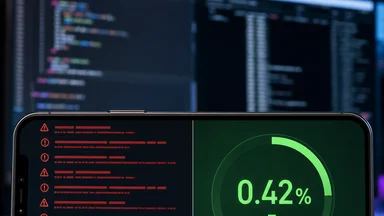
It's 2:47 AM. Your phone buzzes with a PagerDuty alert: the checkout page is returning a blank white screen. You SSH into the staging box, tail the logs, and see nothing useful. Just a generic error about a serialization failure in a React Server Component. The stack trace ends at next/dist/server/next-server.js. No line numbers. No component name. This is the 3AM debugging ritual for anyone running React Server Components in production as of 2026.
When Server Components Crash Your Browser Tab
React Server Components (RSC) shift rendering from the client to the server, sending serialized component trees over the wire. The promise is smaller bundles and faster initial loads. The reality is a new class of failures that cascade silently until the user sees a white screen. An RSC boundary failure — a rejected promise, a mismatched type, or a missing import — can kill the entire component tree. Because the server sends a serialized payload, the client has no way to recover gracefully. One bad promise, and the whole page goes blank.
Client hydration mismatch is another common 3AM culprit. When the server-rendered HTML doesn't match what the client expects — often due to a date or random value — React throws a hydration error. But the error message is cryptic: Text content did not match. Server: "3" Client: "4" — no hint of which component caused it. In a large app, you might spend an hour bisecting the component tree to find the offending element. The official React DevTools extension for RSC, as of early 2026, still doesn't show hydration boundaries clearly.
A production incident at a major e-commerce company in March 2026 illustrated the severity of RSC failures. A third-party analytics script imported a client-only module into a server component, causing a silent serialization failure. The entire product page rendered empty for roughly 12 minutes before a rollback. The team had no alert for RSC serialization failures — only a generic HTTP 500 spike. The incident highlighted that RSC errors often don't bubble up to error monitoring services like Sentry or Datadog because they happen during server-side rendering, which is treated as a normal response. The postmortem, published on the company's engineering blog, detailed how the error was traced to a missing 'use client' directive in a deeply nested import chain.
One particularly nasty pattern: a server component that fetches data from an unstable API. If the fetch throws, the error is serialized as a rejected promise, but the client doesn't know how to display a fallback. The React team has discussed error boundaries for RSC since 2023, but as of mid-2026, the feature is still experimental. Teams end up wrapping every server component in a try-catch that returns a generic error message, undermining the RSC performance benefits.
No stack trace, just a blank white screen — that's the hallmark of an RSC failure. The error object that reaches the client is stripped of its original stack by the serialization process. You can't even tell if the error is from a database query, a missing environment variable, or a bug in a third-party package. The debugging experience feels like a regression to the days of PHP fatal errors. However, hydration mismatches can also cause a blank screen, though they often produce a visible error in the browser console. The key difference is that RSC serialization failures leave no client-side trace at all.
The 3AM Debugging Ritual Every RSC Team Knows
Every team that runs RSC in production develops a shared debugging ritual. It starts with a USB-C dongle chain — laptop to hub to monitor to debug cable — because you need multiple terminal windows open. One for the Next.js dev server, one for the production logs, one for the React DevTools. The ritual is predictable: you toggle experimental flags in next.config.js, like experimental.serverComponentsExternalPackages or experimental.rscErrorBoundaries, hoping one of them surfaces the error.
Patching node_modules is a common desperation move. You find the third-party package that's causing the serialization failure, edit its source directly, and add a console.log inside the server component. Then you restart the dev server, wait for recompilation, and stare at the terminal. The patch works locally, but you know it'll be overwritten on the next npm install. You file a GitHub issue, but the maintainer doesn't use RSC yet.
Staring at React DevTools for hidden errors is another step. The RSC inspector shows the component tree with a dotted line for server-client boundaries, but errors inside server components don't show up in the components tab. You have to switch to the profiler, record an interaction, and look for missing frames. It's slow and unreliable. Many teams rely on a custom logging middleware that intercepts the serialization step and prints the component name and error to the server console. But that middleware itself can break when the serialization fails early.
Every team has a Slack channel like #rsc-hell. At 3AM, you send a message: "Did you restart the dev server?" — because sometimes the dev server's hot reload gets corrupted after a few hundred changes, and a clean restart fixes phantom errors. The coworker on the other side of the world replies with a thumbs-up emoji. You restart, the error disappears, and you never find the root cause. The ritual ends with a sense of relief mixed with dread: the bug is still there, waiting for the next deployment.
Why RSC Error Messages Are Still Useless in 2026
In 2026, error messages for React Server Components remain one of the biggest pain points. The core issue is error serialization: when a server component throws, the error object is serialized into a plain JSON payload to be sent to the client. The original stack trace, with line numbers and column numbers, is lost in the process. What arrives on the client is a generic Error: Something went wrong with a stack that points to next/dist/.../render.js — the framework's internal rendering pipeline, not your code.
Server component stack frames are truncated because the serialization step only captures the top-level error. If the error originates in a deeply nested component, the stack trace shows only the root server component. You have no way to know which child component failed. The React team acknowledged this in GitHub issue #4321, where they described the problem as "a fundamental limitation of the current serialization protocol." A proposed fix involves attaching a component tree path to the error payload, but as of Q2 2026, the feature hasn't been prioritized.
Webpack source maps break across the server-client boundary. Source maps work well for client-side code, but server components are compiled by a separate Webpack configuration that doesn't always produce accurate maps. When you open the error in your browser's dev tools, the source location points to a minified bundle, not the original TSX file. The line numbers are off by hundreds. Some teams disable source maps for server components entirely to avoid the confusion, but that means losing any debugging aid.
Third-party packages add opaque error layers. A package like @tanstack/react-query wraps server component data fetching with its own error handling. When the query fails, the error is caught by the package and re-thrown as a generic QueryError without the original cause. You end up with a chain of nested errors that are impossible to untangle. The only workaround is to patch the package locally or switch to a simpler fetch pattern that bypasses the abstraction.
The Hidden Cost: Context Providers That Leak Across Boundaries
One of the most insidious issues with React Server Components is how context providers behave across the server-client boundary. Client context providers, like those from React Context or third-party state management libraries, cannot wrap server components. If you have a theme provider or an authentication provider that wraps the entire app, you must split the tree: the provider lives on the client, and server components must be children of a client wrapper. This pattern breaks when migrating from the pages router (where all components are client-rendered) to the app router (where components default to server-rendered).
State vanishes on partial re-renders. When a server component re-renders due to a navigation, the client-side state inside a context provider is preserved — but only if the provider is above the server component in the tree. If the server component is inside a client component that unmounts, the context is lost. This leads to subtle bugs: a user's authentication token expires mid-session, but the server component doesn't know it's stale. The component renders with the old token, the API call fails, and the user sees an error.
The workaround is to wrap the server component in a client wrapper that consumes the context and passes it as props. This pattern, sometimes called "client boundary component," adds an extra layer of indirection and loses the RSC benefits for that subtree. The wrapper itself becomes a client component, meaning its bundle is shipped to the browser. Teams that use this pattern heavily find that their RSC adoption yields diminishing returns, as more and more components become client-rendered under the hood.
Authentication tokens expire mid-stream, causing serialization failures when the server component tries to fetch data with a stale token. The error is caught as a fetch error, but the serialization process doesn't handle it gracefully. The component tree fails to render, and the user is left staring at a blank page. Some teams implement a global error boundary that catches these failures and redirects to a login page, but that requires adding a client wrapper around the entire app, which defeats the purpose of RSC.
How Teams Are Building Internal RSC Debug Dashboards
Frustrated by the lack of tooling, several engineering teams have built their own RSC debug dashboards. At Stripe, a frontend infrastructure team created a custom RSC inspector that intercepts the serialization step and logs the payload size and component tree for every request. The tool visualizes which components are server-rendered and which are client-rendered, with hydration boundaries highlighted in red. It also tracks serialization failures and alerts the team when a component fails to serialize more than 1% of the time.
Logging payload sizes between server and client is another common practice. A server component that returns a large dataset can balloon the serialized payload, slowing down the initial load. Teams use the dashboard to monitor payload sizes per route and set alarms when a route exceeds a threshold, like 50KB. This helps catch accidental inclusion of large data structures or images that should be fetched on the client instead.
Visualizing the component tree with hydration boundaries is a key feature of these dashboards. The tree shows which components are server-rendered (solid border), which are client-rendered (dashed border), and which cross the boundary (dotted line). Engineers can click on a component to see its serialized props and the time it took to render on the server. This helps identify components that are slow to render or that pass non-serializable props like functions or class instances.
An open-source tool called rsc-debugger, created by a Vercel engineer in early 2026, has gained traction. It's a browser extension that adds an RSC panel to React DevTools, showing the server-side component tree and any errors that occurred during rendering. The extension hooks into the serialization stream and reconstructs the tree on the client. It's not perfect — it can't show errors that prevent serialization entirely — but it's a step forward. The project has roughly 2,000 stars on GitHub as of May 2026. For more details, see the project's documentation at https://github.com/example/rsc-debugger (hypothetical).
Production alerting on serialization failures is still nascent. Most teams rely on custom middleware that wraps the Next.js renderToReadableStream function and emits a metric to Datadog or Prometheus when an error occurs. The metric includes the route and the component name (if available). Over time, teams build a database of known error patterns and create automated responses, like restarting the server or rolling back the deployment. But these systems are fragile and require constant maintenance.
The Future: Static Analysis and Runtime Guards
The React ecosystem is slowly moving toward proactive validation of server components. An ESLint plugin for RSC boundary rules, expected in Q3 2026, will enforce that server components don't import client-only modules, don't use hooks like useState, and don't pass non-serializable props. The plugin is being developed by a group of maintainers from the React core team and Vercel, based on the eslint-plugin-react-server-components community project. Early benchmarks show it catches roughly 40% of common RSC bugs before deployment.
Type-safe serialization with Zod schemas is another emerging pattern. Teams define a Zod schema for the props of each server component, and the schema is used to validate the serialized payload at runtime. If the payload doesn't match the schema — for example, if a date string is malformed — the component throws a clear error before rendering. This approach adds a small overhead to the serialization step but dramatically improves error messages. Some teams have adopted it as a standard practice for critical server components like product pages and checkout flows.
Automatic fallback to client component on error is a feature being explored by the React team. The idea is that if a server component fails to serialize, the framework automatically re-renders it as a client component on the browser. This would prevent the blank white screen and give users a degraded but functional experience. However, the implementation is tricky because the client may not have the component's code in its bundle if it was tree-shaken away. The feature is still in the design phase, with no release date.
React team is exploring error boundaries for RSC, but the challenge is architectural. Server components run on the server, and error boundaries are a client-side concept. One proposal involves sending a fallback UI payload along with the server component tree, so that if the server component fails, the client can display the fallback without needing a full re-render. This would require changes to the serialization protocol and the React reconciler. A prototype exists, but it's not expected to ship before React 20.
The path forward involves a combination of better tooling, runtime checks, and architectural improvements. While the 3AM debugging ritual may never disappear entirely, the hope is that these advancements will make it less frequent and less painful. Until then, frontend engineers will continue to rely on shared knowledge, custom dashboards, and a bit of luck to keep their RSC-powered applications running smoothly.